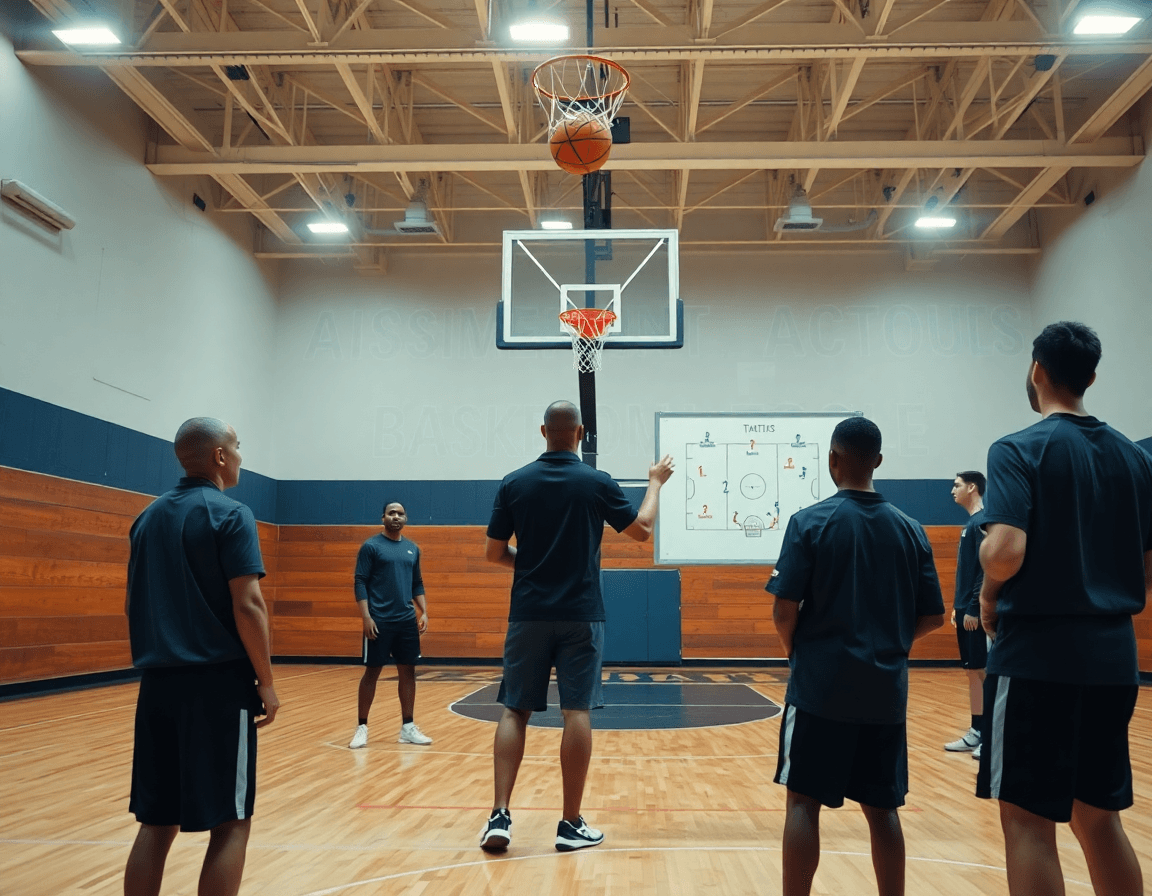
Basketball Coaching Board Online: Streamline Weekly Workflow
Learn how a basketball coaching board online powers your weekly workflow: plan practices, diagram plays, manage video clips, and share plays with the team.

Key takeaways
- Centralize weekly planning with a cloud-based coaching board online to cut chaos and misalignment.
- I link scouting notes to the practice plan, turning insights into actionable reps across days.
- Export clean PDFs of diagrams and plans for locker rooms and staff meetings to keep everyone aligned.
- Pair quick scouting notes with video clips in a shareable playlist for player self-study.
- Leverage versioning to track changes across diagrams, scouting notes, and playlists for easy rollback.
Why a digital basketball coaching board fits your weekly cycle
Sunday night is my favorite bookend to the week. With a basketball coaching board online, I set the week’s focus in one place: practice topics, personnel, and drills. The point is simple: a single plan that centralizes planning for the week and travels from the plan screen to the court and back again. That setup keeps sessions aligned and cuts the last-minute chaos.
Sharing with assistants is effortless. I push the plan to a library of drills and assignments, assign roles, and tweak on the fly. The online coaching board lives here, with a cloud-based playbook backing it up, so everyone can pull up the same version from any device. Shared plans foster accountability and speed up approvals before practice.
On-court execution flows from the whiteboard diagrams. I draw BLOBs and SLOBs, ATOs and PnR, with colors the players can read at a glance. After practice, I export the diagrams as PDFs to share with assistants or post in the locker room. The ability to reference editable diagrams and PDF export keeps our game plan intact from chalk to court.
Together, these pieces form a cohesive weekly workflow rather than a collection of tools: five core CS features—practice plans, whiteboard diagrams, video clips, scouting reports, and playlists. When I add a quick scouting note and pair it with a video clip, players can study on their own time via a shareable playlist. That continuity is what keeps practices efficient and competitive.
Weekly planning: from scouting notes to practice plans
As a head coach, my weekly planning starts long before Monday's practice. I pull scouting notes into a concise briefing and shape next week's drills around trends I saw on film and in person. I import or write these observations to feed the practice plan template, turning notes into actionable reps. On the whiteboard, I diagram a few key actions—BLOB, SLOB, ATO, and PnR—so assistants can see priorities at a glance. This is where a basketball coaching board online shines: everything ties back to the plan for the week, keeping the team aligned.
From our play library, I link plays to specific practice days, so a Monday session builds around our early transition runs and a Wednesday session focuses on late-game execution. When I click a drill, it pulls the diagram plays and related clips, making it easy to preview the flow with the squad. A single click to export PDFs or share a printable plan helps with the staff meeting and substitute coaches. The goal is to keep the flow consistent: a plan sits at the center, and every drill, diagram, and clip supports it.
Using a cloud-based plan keeps assistants in sync across sessions. We tag tasks for assistants and leave comments on plays, so substitutions and coaching points stay clear. Throughout the week, we update the plan as scouting notes evolve, and the changes push to every connected device. With this coaching workflow, the team moves through practice with purpose, and we can measure progress against the plan.

Diagramming plays: half-court and full-court diagrams with clear actions
In the weekly plan, I start with a focused pass at diagramming plays using our basketball coaching board online. I sketch out a few key sequences as either a half-court diagram for our primary sets or a full-court diagram to map press-break options. When I label players, I’m thinking in terms of roles and spacing, not just positions. For clear actions, I drop in BLOB/SLOB/ATO/PnR cues right on the board so the staff can see the flow at a glance. It’s all in the same digital space, so the plan isn’t scattered across notebooks and files.
Next, I annotate with the specifics that stay with the team during drills. I highlight actions, timing, and responsibilities so a quick reference guides practice reps. For example, on a BLOB entry, who gets the back screen, who rolls, and who slots to the weak side? For a PnR, I map the screen, the roller, and the shooter’s spacing. This is where the play diagram editor shines: you can layer intentions over the diagram and keep the tempo or clock cues visible without slowing down the session.
Finally, I export diagrams as PDFs for print or sharing with the team. A clean PDF export of a play diagram is perfect for a locker-room handout, a scout clip, or a quick review on a post-practice huddle. Linking these diagrams with our cloud-based playbook and video clips helps keep the weekly workflow tight: plan in the plan, diagram on the whiteboard, and reference in a short video clip later. This is how you turn on-court reps into a repeatable, teachable system.
Export, share, and review with staff and players
After you wrap up the weekly plan, you’ll want to lock in how the staff and players access it all. That’s where the export-and-share sequence pays off. Use the built-in export to PDF for scouting reports, practice plans, and handouts, so every coach and manager has a clean, printable reference. This is your one-click PDF export plays that travel to film rooms and game day folders without a hitch.
From the plan to the floor, sharing is seamless. With shareable links to plays, assistants and players can access updates instantly—no chasing versions through email. It’s a cloud-based playbook experience, so everyone stays aligned on the same diagrams, notes, and playlists regardless of device. Consider this your online coaching board in action, where a quick tweak on the whiteboard immediately becomes a linked update for the entire staff. This is how a basketball playbook becomes a living document, not a static file.
Versioning is the quiet workhorse behind the scenes. As you revise diagrams, scouting notes, or playlist orders across the week, versioning keeps track of changes so you can compare, annotate, or roll back to a prior state. It’s crucial when you’re juggling early-week adjustments and late-week refinements. With versioned PDFs, updated links, and refreshed video clips, your cloud-based playbook stays accurate from Monday walkthroughs to Friday scouting sessions. In practice, that means fewer mixed messages and more clarity for the players when you review the week’s game plan.

Organizing video clips and playlists for quick feedback
Organizing video clips and playlists is where the weekly workflow starts for me. I treat video clips as the first-pass feedback engine: game clips, practice clips, and moments from walkthroughs. I build concise playlists around the things we’re chasing—spacing, decision-making, ball pressure—so players can study without wading through hours of footage. In CourtSensei, I clip, tag, and store everything in a cloud-based library that travels with the team.
After practice, I import clips into the system, trim to 15-45 seconds, and tag them by situation: 'PnR', 'transition', or BLOB/SLOB/ATO so the staff can pull the exact moment. I pair these with the on-board diagrams for context—one short clip linked to a diagram on the whiteboard—and we discuss live. The result is a library of shared references that we pull from during drills.
From there I build playlists for each player or role, so a guard can focus on drive-and-kick sequences while a big studies screening angles. These playlists are shareable with players and assistants, letting them review clips at home or between sessions. I add brief notes and links to specific drills, so when a drill starts, players know exactly what to look for.
During warm-ups, I pull a few clips to illustrate a concept, and I have quick notes and links to the play in the cloud-based playbook open beside the clip. It’s a fast way to translate what happened on film into what we actually run in the next rep. The payoff is a smoother, more focused practice where feedback lands quickly.
Scouting reports and opponent tendencies in one place
In the weekly scouting cycle, everything you need on opponent tendencies sits in a single centralized library. You can compile scouting reports and opponent scouting notes, plus scout plays, and have them accessible to the whole staff. When prep time tightens up, you pull last season’s tendencies alongside this week’s data and you get a clear read fast. That one hub keeps your game plan honest and your preparation repeatable.
Attach scouting notes to the game plan and practice objectives. In the plan window, drop a concise note on what to attack or what to avoid, and attach it to the week’s objectives. This way, every coach in the room—head or assistant—reviews the same context during practice preparation and film sessions. Export-ready PDFs of the plan with embedded scouting notes become a ready-to-go briefing for the staff meeting, and for the late-night walk-through with players.
Reuse scouting data to build counter-plays for the next game. When you identify a tendency—say, a specific ball-screen defense or a weak backside rotation—you can design counter-plays directly in the diagram plays area and tag them to the upcoming opponent. Reuse and refine over the season: reuse the data to craft new scout plays, update play diagrams, and keep your playbook evolving without reinventing the wheel each week.
This isn’t just a repository; it’s a living tool you rely on every Tuesday through Sunday. The cloud-based playbook keeps everything synced, while shareable playlists and PDFs ensure coaches and players have the right briefs for every walkthrough. Building this workflow once pays off every game night.

Practical workflow: 5-step routine to implement this week
In-season clarity starts with a practical workflow, not juggling five tools. With a basketball coaching board online, your weekly routine becomes streamlined: planning, a tactical whiteboard with diagrams (BLOB/SLOB/ATO/PnR), video clips, scouting notes, and shareable playlists in one cloud-based playbook. The goal: everyone stays aligned all week.
Step 1: Review last week's results and update scouting notes. Pull game clips, review the outcomes, and refresh scouting notes in the dashboard. This is where the weekly rhythm starts: you compare plan to results, highlight opponent tendencies, and jot quick adjustments for your assistants. A brief notes section keeps the staff aligned as you set the path for practice.
Step 2: Build this week's practice plan with linked plays. Draft this week’s practice plan by linking plays directly to drills in the library. As you set up station work, attach the corresponding diagrams on the board and export a PDF for the staff if needed. This is where the digital playbook shines—each session ties back to the Xs and Os you’ve saved.
Step 3: Diagram every key set and export PDFs for staff. Diagram every key set (BLOB/SLOB/ATO/PnR) on the whiteboard, then export PDFs for quick reference in coaching rooms and on the bench. Having diagrams visible on the tablet and in print keeps communication crisp during timeouts and staff meetings.
Step 4: Organize video clips and assign playlists to players. Organize video clips by trend or opponent, and build playlists for each player or role. Short clips are labeled, tagged to concepts, and assigned to players in the app so you can drop a clip into pregame sessions or post-practice film. This ties video into every player’s path.
Step 5: Share the plan and monitor updates via online coaching board. Share the final plan with assistants and players, then monitor updates in real time on the online coaching board. You get notes, schedule changes, and status checks in one place, keeping the weekly routine intact and the cloud-based playbook current.
If you build plans like this every week, CourtSensei keeps your drill library, whiteboard, and video clips in one place — try it free.
FAQ
What is a basketball coaching board online and how does it fit into a weekly workflow?
An online basketball coaching board is a cloud-based planning space that houses your playbook, diagrams, and drills. It centralizes the week’s plan—practice topics, personnel, and reps—so everything travels from plan screen to the court and back. It reduces last-minute chaos and keeps sessions aligned. With a connected team, you use a digital playbook and shared plans to stay in sync.
How do online basketball playbooks work?
Online playbooks give you a diagram editor to map half-court and full-court actions, label roles, and cue BLOB/SLOB/ATO/PnR. You attach video clips, tag plays to days, and link everything to the weekly plan. It’s powered by a cloud-based plan that updates across devices, so assistants and players stay aligned and can preview flows before practice.
Can I export plays to PDF for sharing with my team?
Yes. Most online boards let you export diagrams and plays as PDFs for print or locker-room handouts. PDFs travel with scouts and substitutes, while the original diagrams stay editable in the cloud. Versioning keeps earlier states accessible, so you can compare changes and share clean, consistent play references with staff and players.
Do these tools support AI-generated plays?
Some platforms add AI-assisted features, offering suggested plays or templates based on your data. You still customize, tweak roles, and align with your coaching philosophy. AI can jump-start ideas, but nothing replaces your plan, scouting notes, and veteran judgment. Use it as a spark, not a replacement.
Is there a free basketball playbook app?
Yes, many providers offer a free tier or trial with core features. You can usually access a basic play library and whiteboard tools before upgrading. If you need advanced features like AI ideas, multi-team sharing, or deeper analytics, plan for a paid tier. Check what's included in the free tier before committing.
How can I share plays with my team and keep them updated?
Sharing is frictionless with shareable links and cloud sync. Updates push instantly to staff and players, with comments and task tagging to track changes. Keep a single source of truth by versioning diagrams and notes, so everyone sees the same plan and can review updates after practice.
What is the difference between a digital playbook and a traditional whiteboard?
Digital playbooks live in the cloud with editable diagrams, linked clips, and searchable libraries, so you can update on the fly. A traditional whiteboard stays tangible but loses version history and cross-device access. The digital approach keeps plans, diagrams, and video in one place, accessible from anywhere.
