
Basketball Plays App: Weekly Coach Workflow
Learn how to integrate a basketball plays app into a coach's weekly routine—planning, whiteboard diagrams, video clips, scouting, and shareable playlists.

Key takeaways
- Use a centralized plays app to plan, diagram, and share weekly actions with the staff.
- Choose a tool with a drag-and-drop editor and offline access so prep travels with you.
- Prioritize a structured library by team/season, plus PDF export and linked video clips for review.
- Enable multi-user sharing with cloud-synced access and shareable links to keep players aligned.
- Integrate scouting notes Friday into plans to accelerate practice and improve on-court execution.
Weekly plays workflow for coaches: plan, diagram, and share
As a head coach, I build the week around a clear weekly cycle: offensive/defensive priorities, transition focus, and ATO tweaks. I outline these in the planning phase, assign tasks to assistants, and map workouts to game plans. This is where a basketball plays app really proves its worth—the plan lives in one place with visibility for every coach. Monday becomes direction day, when I lock the week’s core actions and expectations.
With a centralized plays tool, I move ideas from plan to diagram and beyond. In the whiteboard, I diagram early-action sequences, transition opportunities, and late-game tweaks. The playbooks library by week/season grows as we tag sets by name and scenario, so we can pull the right look fast. And yes, you can drag and drop basketball plays to assemble sequences on the fly, then save them for later use.
Playlists to distribute to assistants and players create a shared language. I assemble a tight set of plays for the upcoming week and push a shareable link to the staff, plus a quick-view clip for players. We schedule short review sessions after practice and a quick recap before shootaround—everybody on the same page, no guessing.
The payoff is straightforward: faster prep, consistent messaging, and easy on-court implementation. When the scouting notes feed into the plan on Friday, we see a smoother week of practice and clearer execution in games. This is how the weekly workflow tightens a basketball plays app into your routine.
Choosing a basketball plays app: features that fit a coach's weekly routine
As a head coach juggling scouting, film, and practice design, a basketball plays app that fits my weekly workflow matters. Look for a solid playbook app with a true drag-and-drop editor so I can sketch actions quickly, and offline access so I can prep plans anywhere. A strong option should support a library of plays by team and season, letting me drop a few into this week’s plan on the ride home from the gym. CourtSensei ties these pieces into one cohesive workflow.
PDF export for gym boards is essential. The ability to export to PDF gives me a clean board to post in the locker room or print before shootaround. I want a structured library by team/season, so I can filter plays by formation and carry that into a scouting note or practice plan. When you pair this with video clips and playlists, the value of a single playbook app becomes clear.
Prioritize multi-user sharing and easy organization of plays by category. In a busy program, I need links or cloud-synced access so assistants stay in sync. Categorization helps you build quick scouting notes and prep plays for an opponent. A “share plays via link” option lets players review assignments before film study.
Finally, consider offline/on-device capabilities so reviews happen without internet and on-court printouts. If the system supports an on-device workflow, you can flip through diagrams during timeouts, and printouts let you run through the action without tablets. This matters for junior programs with limited Wi‑Fi. A tool that folds planning, board work, video, scouting notes, and playlists into one weekly loop just feels right.

Praktičan workflow korak: create practice plan, diagram plays, export PDF
Step 1: Create the weekly practice plan and map out plays you’ll use in sessions. I open Plans in CourtSensei and lay out Monday through Saturday, about 90 minutes each, with a few core plays carried over from the playbooks library. That weekly frame anchors the session-by-session flow, so assistants know what we’re emphasizing and players come in knowing what’s expected.
Step 2: Diagram each play on the whiteboard with positions, BLOB/SLOB/ATO/PnR flows, and notes. On the tactical board, I place the Xs and Os, assign 1–5, and draw how the action unfolds—spacing, reads, and timing. The diagram includes quick cues and contingencies, so the team sees not just the set piece but the reads that trigger each movement. It’s where the language of our offense and defense gets cemented before we step onto the floor.
Step 3: Organize plays into a practice block library for quick access during drills. I tag each diagram by category (PnR, spacing, late-game sets) and drop them into the practice block library. When a drill demands a quick shift, I drag and drop the relevant plays into the block, keeping the flow smooth and the pace up without scrambling for clips mid-session.
Step 4: Export to PDF for printouts, chalkboard displays, or scanning to players. The PDF export basketball plays feature is clutch for meetings and sideline chalk talks. A clean, portable document lets coaches, assistants, and players review the exact actions without needing to be online or at a particular device.
Step 5: Share a playlist of key plays with players and assistants for review before the week starts. I assemble a tight playlist and use the share via link option to get it in front of everyone—on phones, laptops, wherever they’re most likely to study it. This keeps the team on the same page, ready for the first whistle.
Using video clips to teach and reinforce plays
During the weekly plan, I start with game and practice video clips to ground our decisions in reality. I crop game or practice footage to highlight decision points and player movements, so the team can see why we chose a certain action. Those clips go into our basketball play designer, tied to the related plays in the library. With a quick search, I can pull a slice of the action and show spacing and reads that set up our next sequence.
On the whiteboard, I attach clips to the corresponding plays to reinforce teaching points during walkthroughs. When we diagram a BLOB or PnR, a clipped moment captures the exact footwork and decision flow, so assistants and players stay aligned. The drag-and-drop basketball plays feature lets me link the clip to the diagram at the moment we discuss the read. Practice reps feel smarter because the clip shows the real-time reaction we want.
Between sessions, I build playlists that players can study between practices. The shareable link makes it easy to push these clips to the whole roster or to individual players, whether they’re at school or traveling with the team. Our offline basketball playbook keeps the key clips accessible on-device, so the study never hinges on Wi-Fi. A solid playlist makes the weekly action tangible when a player replays the cut, notes timing, and comes back with sharper questions.
All together, this video layer reinforces our workflow: crop, attach, playlist, repeat. It keeps the team synchronized—on the plan in the plan, on the board during walkthrough, and in their pocket between sessions. When I need a quick refresher, I pull the same clip, re-run the read, and we adjust on the fly. The result is a calmer, more productive week and a sharper understanding of how to execute our offense.
Scouting and game plan: integrate opponent tendencies into your playbook
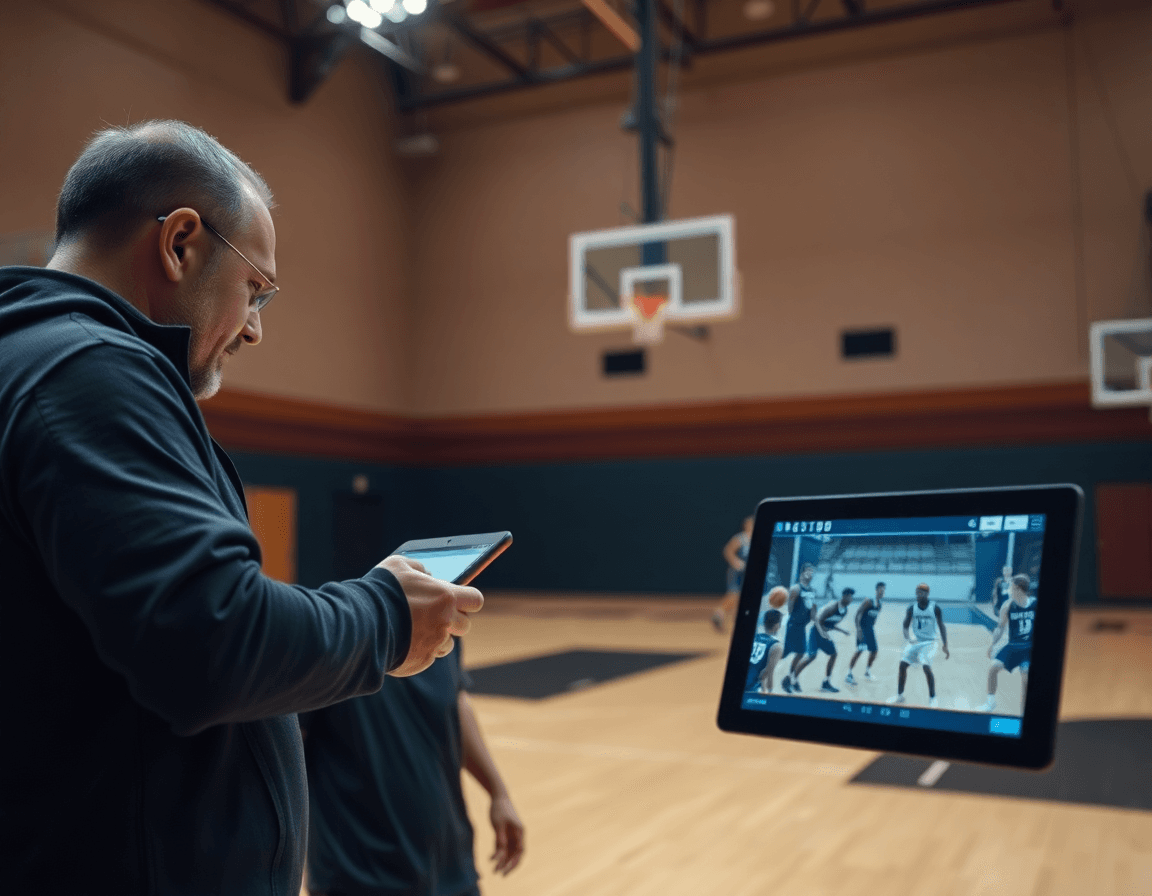
During the scouting-and-game-plan week, I start with our scouting reports. I record opponent tendencies and tag plays that counter them directly in the playbook app. If the opponent overhelps to the weak side on ball screens or prescribes a specific deny, I attach a counter sequence and a clip from our scouting video. The cloud sync keeps assistants and video coordinators on the same page, so notes land in the right place as we prepare for the next game. That becomes the backbone of our weekly plan.
Next, I update diagrams and notes in the play library to reflect adjustments for upcoming games. I drag and drop new plays, tweak routes on the whiteboard, and annotate the counter-actions so players know exactly what to run. If we want a clear visual, I drop in animated basketball plays to demonstrate timing and spacing. When the plan is solid, I export PDFs of the updated plan for staff huddles and opponent prep. The cloud sync keeps everything current, everywhere.
Finally, you can export PDFs of updated plans for staff huddles and opponent prep. The PDF file travels to assistants, video coaches, and administrators, ensuring everyone is aligned before tip-off. If you need a quick mid-week update, you can share plays via link to the current version—simple, fast, and repeatable across seasons.
Organizing by team, season, and offline access for on-court use
As a coach, organizing by team and season starts with a clean library structure. I maintain team-specific libraries and season-based folders to keep plays organized. For example, Team A – 2025-26 sits alongside Team B – 2024-25, with subfolders for offense, defense, and special situations. In the basketball plays app, the play designer supports drag-and-drop actions, so I can assemble a set in minutes and drop it into the correct season folder. This makes it easy for assistants to pull the exact play for a given squad during a late-night review or a pregame walkthrough.
Offline access is a game changer when we’re in the gym. The offline basketball playbook stays accessible without internet, so drills and diagrams are ready on my tablet during shootarounds and timeouts. With on-device access, I can navigate to a play, loop the diagrams on the board, and even print a quick PDF for the scout or the bench. The on-device basketball playbook keeps us moving and reduces hiccups at the big moments.
When I need to bring in external libraries, I can import FastDraw library and synchronize it with the team folder, then publish updates to the team so everyone is aligned. If I want a quick share, I generate a PDF export basketball plays or share plays via link with assistants. Keeping the library fresh without duplicating effort is the edge I want in a weekly workflow.

Weekly checklist to review and share with staff and players
By Friday afternoon, I run through the weekly checklist to lock in the next cycle. First, I verify that all planned plays are diagrammed in the basketball play designer and linked to the relevant drills in the practice plan. When I pull up the diagrams on the whiteboard for the staff, the flow matches the drill work we’ll execute. It’s about a clean handoff from diagram to practice reps.
Next, I pull the latest scouting notes and update adjustments. I attach those to the plays so our defense looks different next week. Using the drag-and-drop basketball plays tool, I map the changes to the on-board diagrams and share any nuance with the staff. If needed, I export a quick PDF for the scout or coach.
Then I publish playlists for players and verify access via shareable links. We also lean on share plays via link to ensure players get the right clips. I also attach a short video clip to each play to illustrate timing and spacing when possible. We roll these into the on-device basketball playbook so players can pull them up in the locker room or on the bus, even offline. If a printed handout is required, I generate a PDF export of the playlists. The key is that players have instant access without hunting through clips.
Finally, I wrap with a quick post-practice recap to capture feedback for the next week. I jot notes on what clicked and what didn’t in the scouting notes and practice plan, then circulate a concise summary to staff and players. This creates a tight loop and keeps the checklist for weekly training actionable. The result: we move into the next phase with clear priorities and a unified plan.
If you build plans like this every week, CourtSensei keeps your drill library, whiteboard, and video clips in one place — try it free.
FAQ
What is the best basketball plays app for coaches?
Choosing the best basketball plays app comes down to workflow fit. Look for a true drag-and-drop editor to sketch actions fast, and a structured library organized by team and season to pull the right play quickly. Also value offline access for prep anywhere, and PDF export for printouts. When planning, the app should unify planning, diagramming, and playlists into one weekly cycle to reduce prep time and keep everyone aligned.
How can I share basketball plays with my team?
To keep everyone aligned, push a playlist of key plays and share it via link. Use a cloud-synced access model so assistants and players see updates in real time, not last week's notes. Build a concise coaching library and send quick-view clips for players. This saves time, reduces miscommunication, and ensures every member has the same assignments before practice.
Do these apps work offline?
Yes. Modern basketball plays apps offer offline mode and on-device viewing so you can review diagrams without Wi-Fi. Sync happens when you're back online, so updates from practice carry through. Printouts and PDFs still work, making on-court review smooth for clinics, junior programs, or gyms with spotty internet.
Can I export plays to PDF?
Yes, PDF export is essential. Export clean diagrams for gym boards, meetings, and printouts. The PDF can include a play's setup, reads, and timing, making sideline chalk talks easy. With a well-curated library, you can circulate plans ahead of practices and keep the whole staff in sync.
Can I organize plays by team or season?
Absolutely. A good app offers a structured library organized by team and season, plus tags for formations and game situations. You can push weekly plans and drag plays into the current block. Filtering by opponent or phase helps you reuse sets next year while preserving continuity.
What’s the difference between OpenDraw and FastDraw?
OpenDraw centers on online collaboration and a cloud library, while FastDraw prioritizes rapid diagramming and offline use. If you rely on real-time updates, go OpenDraw; if you need speed on the sideline, FastDraw is a fit. In practice, many coaches look for a single app that blends both strengths so planning, diagramming, and sharing stay in one place.
Can players install a playbook app on their phones?
Yes, most basketball plays apps offer mobile access so players can study on phones. Provide a shared playlist or link, and ensure the library is accessible with a simple login. If you want independence, enable offline access on a subset of devices. The key is clear navigation and concise clips so players can review during downtime.
