
Basketball Play Names Generator for Weekly Planning
Discover how a basketball play names generator fits a coach's weekly workflow—speed naming for planning, whiteboard diagrams, scouting, and video tagging.

Key takeaways
- Establish a consistent weekly naming system so clear play names guide prep and on-court calls.
- Use a play names generator to seed 6–8 options and refine quickly.
- Mix numerical, descriptive, and hybrid labels (2-3 Trap Corner) so speed and clarity coexist.
- Document the play naming conventions in the playbook for consistent staff usage.
- Link generated labels to drills, diagrams, and clips so the workflow stays fast.
Why weekly naming matters for coaches
Naming plays for the week is not a gimmick—it's part of your workflow. Clear, consistent play names improve on-court calls and reduce miscommunication. A standardized system supports the weekly planning cycle and keeps assistants aligned. A basketball play names generator can seed labels you can generate or refine quickly, saving precious prep time.
With a solid naming scheme, coaching communication becomes faster. When your assistants know exactly what 'PnR-Hawk-2' refers to, you cut down chatter and errors. Use a mix of coded play names and descriptive terms so veterans and newcomers can follow. The goal is a consistent play naming conventions across your library and notes.
This feeds the rest of the cycle: you drop names into practice plans and PDFs, those labels align with the whiteboard diagrams, you tag video clips for quick review, and you organize scouting notes into shareable playlists. The linkage across planning, diagrams, and clips keeps the week running smoothly.
On Sunday you run the generator, seed a batch of examples like 'PnR-Hawk-2' and 'Horn-Screen 3-2', assign them to the week’s matchups, and export a PDF of the practice plan. The labels flow into the scouting notes and the clips sit in a shareable playlist for quick walkthroughs. That’s weekly naming in action.

Naming conventions that work: numerical, descriptive, and hybrid
During weekly planning, numerical naming keeps conversations crisp. Codes like 2-3 or 1-4 map cleanly to defensive coverages and to the actions you expect on the floor. Those codes travel fast on the whiteboard and translate into PDFs in your practice plans. The caveat is that numerical naming can feel cryptic for newer players, so you build a quick staff dictionary. A basketball play names generator helps keep those numbers consistent from install through the first scrimmage, so the bench knows exactly what to call.
descriptive terms such as Baseline Pop or Corner 3-2 give players a mental picture of the action. They shine when you want newcomers to understand intent quickly and pair well with scouting notes and video tagging. The downside is longer labels that take time to memorize and can clutter the board when you’re juggling several sets. For teaching early offense concepts or showing movement patterns, descriptive labels are strong teaching aids.
Hybrid naming blends speed and context: 2-3 Trap Corner, for example. Hybrids give you a label that's quick to call and descriptive enough for players to picture the action. The downside? It can require a short onboarding session to ensure everyone parses the label the same way. Use defined guidelines to stitch digits and descriptors into a single standard, so everyone—from head coach to assistants—speaks the same language.
Document the play naming conventions in the playbook so everyone uses the same system. Use those labels in your weekly plan, mirror them on the tactical whiteboard, attach the same tag to video clips, and file scouting notes under the matching term to create shareable playlists. When the workflow stays aligned—plan, whiteboard, video, scouting, and playlists—the coaching language stays clean, and players move faster with less hesitation.
Practical workflow: from idea to on-court call
Start your week with a quick brainstorm using a play names generator and filter for consistency across the week’s naming conventions. I’ll pull 6–8 options, then sort them by clarity and carryover to drills. If you lean toward coded play names or descriptive terms, the generator helps keep everything aligned so you can call plays cleanly at the huddle.
If you’re asking how to use a play names generator, this is the moment to pick 3–5 names that map to upcoming week’s concepts and drills. Tie each label to a core idea (spacing, pace, screening) so the staff and players hear a single signal. The goal is a tight, intuitive set that supports your weekly workflow rather than cluttering it.
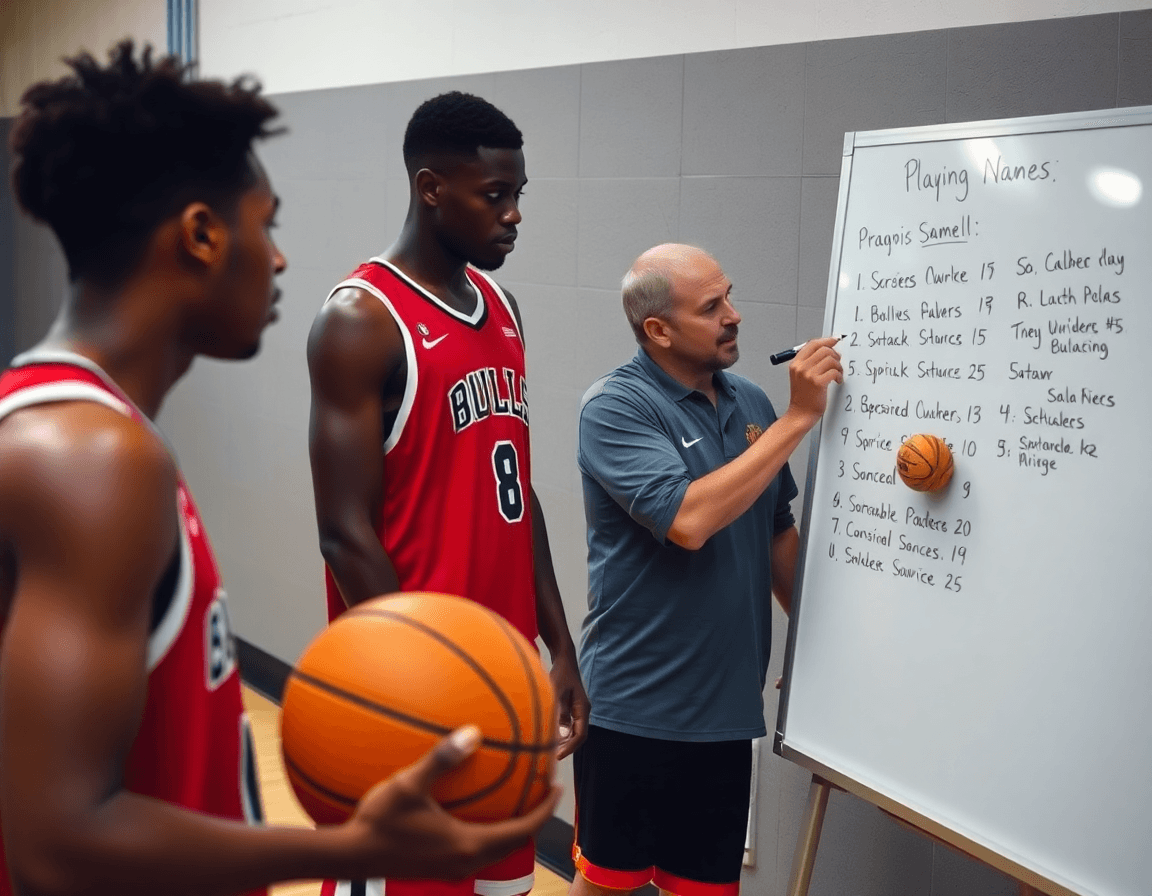
On the tactical table, sketch each play on the whiteboard with diagrams (BLOB/SLOB/ATO/PnR) and attach the chosen name. The visuals solidify the concept and give assistants a quick reference for on-court calls during timeouts and live drills. A clean diagram-to-name link also makes post-practice reviews faster.
From there, update the weekly practice plan with the labeled plays and export to PDF for sharing with staff and partners across the gym. This keeps your plan portable, print-ready, and ready to drop into a scouting binder without rework.
Next, tag the corresponding video clips with the play name and build a shareable playlist for players and assistants. Short clips tied to a label streamline review during film sessions and keep your on-court communication precise.
Finally, add the names to scouting notes for opponent prep so you can reference them in game plans. A consistent labeling system makes cross-scouting and adjusting game plans during the week much smoother.
Integrating names with planning, whiteboard diagrams, and video
Kick off the week by feeding this week’s plan through the basketball play names generator. The goal is to produce clean, repeatable labels that fit our planning rhythm. We lean into planning integration and play naming conventions: using coded names for speed, mixed with descriptive terms, and a splash of hybrid styles like Hawk PNR or 2-3 Zone Hawk to keep terms consistent across coaching staff. This helps everyone speak the same language from scout notes to PDFs.
Link each generated name to a specific practice drill, the corresponding play diagrams, and the matching video clip. In the plan, the label auto-picks the drill, the play diagrams on the whiteboard, and the tagged video clip for review. This tight coupling ensures when we say Hawk PNR, everyone knows which drill to run and which clips to study with players.
Export plans and diagrams as PDFs to keep the entire staff aligned during prep and travel. The PDFs carry the play labels with the whiteboard diagrams and drill notes, so assistants can walk into practice with the exact layout in hand. It’s a small step that pays big dividends when you’re assembling a weekly binder for the staff — a true planning alignment.
Use a central library to store play labels and associated diagrams for quick retrieval, and create shareable playlists that group clips by play name for easy player review. A single search pulls the Hawk PNR clips, the 2-3 Zone Hawk diagram, and the scouting notes together. This workflow keeps video tagging, play diagrams, and planning integration in one place.
Using play names in scouting reports and opponent prep
In the scouting room, I start every week by pulling the basketball play names generator outputs into the scouting notes and opponent prep file. The goal is to apply consistent play names when documenting tendencies, so any coach on the staff can skim a PDF and immediately know what we’re looking at. When I tag a sequence as “Hawk-PnR” or “2-3 Zone Shift,” the pattern becomes instantly recognizable across documents, PDFs, and a shareable playlist of clips.
Labeling opponent actions or sets with the same naming pattern makes cross-referencing a breeze. If the team runs a common action off a horn set, I use a uniform label like “Horn-Set-Switch” across the scouting report, the whiteboard diagram, and the video notes. It’s not just tidy math—it keeps everyone aligned during film sessions and on game night, from head coach to assistants.
The generator’s naming system is a solid tool for brainstorming counter-plays and scout plays without leaking identities. I’ll jot down a few options like “Counter-Hawk-ISO” or “Counter-PnR-Over” and see what makes the most sense for our weekly plan. This lets us test ideas in practice plans and PDFs without tipping any specific game plans to the wrong audience. It’s all about flexible, scalable labels that I can reuse across scouting reports and game prep.
Finally, keep the naming descriptive enough for staff and players to understand during prep. A label like “Hawk-2-3 Zone Trap” should cue the defense and offense precisely, and be visible in the PDF, on the whiteboard, and in the video playlist. When the names click, the whole prep workflow—from scouting notes to clip tagging to plan execution—feels synced.
Common pitfalls and a quick-start checklist
Common pitfalls and a quick-start checklist
If you’re layering a basketball play names generator into your weekly plan, it’s easy to trip up on a few recurring issues. The biggest danger is overcomplication: chasing every new label instead of a clean, usable set that fits your drills and PDFs. When names get flashy but not functional, your players and assistants waste time decoding what each label means rather than focusing on the action.
Another snag is inconsistent terminology. If you toggle between coded names, descriptive terms, and numerical designations, you’ll end up with mixed signals across the plan, whiteboard diagrams, and scouting notes. The result is confusion at the huddle and scattered communication in video clips. Keep a steady vocabulary so every label maps to the same concept across planning, teaching, and evaluation.
A third pitfall is drift from the weekly plan. If naming choices wander week to week, the playbook becomes a moving target instead of a reliable guide. The naming system should reinforce your objectives for the week (play strength, spacing, and read options) rather than pull you away from them. Document decisions so the workflow stays on track: naming should support, not complicate, your plan.
Tip: lock in a naming convention early and document it in the playbook. This keeps your weekly rhythm intact and makes it easy to reproduce success.
Checklist:
- pick 3 naming templates
- map to week’s drills
- update plan and PDFs
- tag video clips
- synchronize with scouting notes
Keywords to keep in view: play naming pitfalls, consistency, checklist, coaching communication, playbook naming. Use a mix of descriptive terms, coded names, and hybrids (for example, a simple pickup like “Hawk PNR” or “2-3 Hawk” can sit alongside more descriptive labels). This approach helps you stay tight with the plan while still giving you flexible labeling for in-play adjustments.
If you build plans like this every week, CourtSensei keeps your drill library, whiteboard, and video clips in one place — try it free.
FAQ
What exactly are basketball play names and why bother naming them?
Play names are labels for on-court actions - PnR Hawk, Baseline Pop, etc. - not just cute tags. They create a shared language that teams can use in practice, scouting, and game prep. Naming saves time in huddles, reduces misreads, and speeds decision-making during transitions. A consistent system helps the whole staff stay aligned during the weekly planning, installation, and review cycle. Focus on clarity over cleverness, coach.
How do play names enhance team communication?
With clear labels, teams call plays in a heartbeat, reducing on-court chatter and misinterpretation. coded names let coaches signal quickly while still keeping the glossary compact, and descriptive labels help players picture the action without decoding every symbol. When everyone uses the same language—from the huddle to video reviews—you cut delays, speed drills, and improve decision-making under pressure.
What naming conventions work best for basketball plays: numerical, descriptive, and hybrid?
Most teams blend three styles to cover speed and clarity. numerical naming keeps quick calls on the fly and translates nicely to PDFs and whiteboards, but can feel cryptic to newcomers. descriptive terms like Baseline Pop provide instant understanding for beginners, while hybrids like 2-3 Trap Corner fuse both benefits. Build a staff guide to map codes to actions and keep your library consistent across install, practice, and review.
What common pitfalls should coaches avoid when naming plays?
Avoid making labels cryptic or overly long; that kills recall. Favor consistency across cohorts so veterans and newcomers hear the same signal. Do not let naming drift faster than your playbook - it makes scouting and video tagging messy. Also, align labels with drills and diagrams so a single call matches a specific setup. When in doubt, test names in practice before batch-rolling into a game.
Can play names be customized by era or style, and can a generator support that?
Yes—seasonal themes, eras, and coaching styles can shape your labels. A generator can seed era customization presets, then you tune them to your offense, tempo, and terminology. Save presets so older staff and newer players share the same map, and rely on presets to reproduce proven naming patterns week to week.
How does a basketball play names generator work and integrate with planning tools?
A good generator stacks 6-8 options per concept, sorts by clarity, and returns quick, map-ready labels. You assign them to drills, attach to diagrams, and export PDFs for your weekly plan. The labels then tag video clips and scouting notes, forming a tight loop across planning tools and execution. The result is a clean bridge from idea to on-court call and back to review - without reinventing the wheel.
Are generated play names original or could they conflict with trademarks? Are they free to use?
Most generator outputs are generic labels that rarely collide with trademarks, but you should audit for unique branding in your league. They are typically free to use, but avoid coining names that resemble protected brands in your market. Treat generated names as working labels, and override with your own if needed to protect your strategy and scouting notes.
