
Basketball Scouting Report Example for Weekly Coach Workflow
Basketball scouting report example for weekly coach workflow: clear structure, essential sections, and how to use plans, whiteboard, video, and scouting plays.

Key takeaways
- Set weekly scouting priorities early, pick a template, align with practice and game-day plan.
- Lock in a scouting report format with five sections; keep language crisp for quick scanning.
- Convert team tendencies into micro-behaviors for each defender, linking drills and clips to practice sessions.
- Turn scouting into action on the whiteboard; export whiteboard diagrams and attach BLOB/SLOB/ATO/PnR notes.
- Maintain a closed loop from notes to play diagrams to film and practice with a clear weekly workflow and shareable playlists.
Frame the week: define scouting priorities for the next game
Framing the week starts with a clean lens on the next game. I jot down the core scouting priorities for the opponent, based on their tendencies—top threats, pace, and preferred actions. The goal is a focused, repeatable process that feeds every decision, from practice to tournament prep. This is where weekly scouting priorities set the rhythm, and game plan prep follows.
Decide which scouting report template to use (one-page vs detailed) and which plan components matter most. Do you need a quick snapshot for the bench or a full breakdown for film room? If pace is the driver, you lean toward a lean template; if the opponent runs multiple fronts, go deeper with a structured set of sections in the one-page game-day document.
From there, I map scouting priorities into the weekly training plan and the defensive/offensive game plans for the upcoming week. The plan becomes a living map: practice stations counter the top threats, adjust pace, and drill the actions they favor (PnR, isolation). The whiteboard diagrams—BLOB/SLOB/ATO—are anchored by a concise team tendencies report and a look at rotations and matchups.
To keep it actionable, I translate tendencies into micro-behaviors to watch during games and practices: how their wing squares up, how they sprint to gaps, how they react after a defensive switch. We assign one micro-behavior per defender, tying it back to a drill in the plan and to a specific clip in the video clips library. That makes the scouting feel tangible.
That loop—planning, whiteboard diagrams, short video clips, scouting reports, and shareable playlists—feeds the next cycle. Export a clean PDF from the whiteboard, share it with assistants, and pull the clips into a recap for post-practice review. The weekly workflow keeps everyone on the same page and ready for game-night decisions, fueled by shareable playlists.

Structure the scouting report: essential sections for coaches
Think of a scouting report as a compact blueprint you carry through the week. For a repeatable weekly workflow, lock in five sections and keep the language crisp so assistants and players can scan during prep. Use this structure as your scouting template, and seed it into your planning, whiteboard diagrams, and shareable video clips so it’s ready to roll on game day. A clean scouting report format like this doubles as a quick-reference guide in drills, film sessions, and the team huddle.
Bold: Team identity. This is where you codify how the opponent wants to play and how you want to respond. Note their pace, preferred transition baskets, and any recurring offensive sets or defensive schemes. Highlight what they do well, and what you want to force them to do (or avoid). Keep it actionable: map their identity to your practice emphasis and to decisions on the taktical whiteboard. Exclude vague vibes or historical anecdotes; focus on present tendencies that drive decisions in the first quarter and beyond. The goal is a crisp, one-page game-day document, not a novella.
Bold: Personnel matchups. Identify the primary ball handlers, floor spacers, and rim threats, plus any hot or cold shooters you’ll track. Note how individual tendencies (shot cadence, preferred angles, micro-behaviors) interact with your defensive contains or switch schemes. Tie matchup notes to your scouting template so assistants know who to guard with which pressure and when to switch. This section is the backbone for late-clock decisions and for directing video clips to specific players.
Bold: Key possessions. Pinpoint 3–5 possessions that commonly decide their games—PnR reads, BLOB/SLOB actions, ATO sets. Describe what to defend, what to attack, and how rotations should flow. This makes your diagram work tangible on the floor and easy to translate into play sequences from the whiteboard.
Bold: Edges. List the advantage windows you’re hunting—timing mismatches, weak transitions, or predictable reads. Include counters you’ve prepared in practice and how to communicate them in quick huddles.
Bold: Action items. End with precise do-outs for players and staff: drills to emphasize in planning, clips to review in video sessions, and who delivers what feedback in the next meeting. Make this a concise plan you can export as a one-page document for quick on-court reference.

From board to bench: turning scouting into actionable plays
Turning scouting into action starts on the whiteboard. A basketball scouting report example becomes real when notes translate into clear motion. I map what we see into whiteboard diagrams that cover the big actions we’ll face—including BLOB/SLOB/ATO/PnR sequences. For example, if the opponent runs a ball screen with a strong hedging wing, I sketch the PnR path, label who slides over, who recovers, and where a weak-side shooter sits. I also note the micro-behaviors to watch—tempo changes, footwork, and where they like to trap. The goal is to turn raw notes into a concise, repeatable visual language the staff can read at a glance.
From there, I export the diagrams into a format the film crew can actually use. We save a clean PDF of the play diagrams and attach quick notes for the assistants. In our film session, those PDFs become the backbone of the scout portion, with counters and options highlighted for quick reference. If you’re building a one-page game-day document, this is where the core plays live, ready to be shared across the bench or on a tablet between quarters.
Finally, the workflow ties directly to the weekly plan. The scouting findings inform our weekly practice plan and drills, so we surface specific work: defend ball-screens with the right angles, practice the preferred counters to their primary sets, and rehearse quick reversals to counter their transitions. The result is a cohesive loop: from scouting notes to play diagrams, to film, to practice—a steady rhythm your team can rely on when the game gets tight. This is how you turn a basketball scouting report template into real game-ready action.
Video integration: attach clips to scout notes
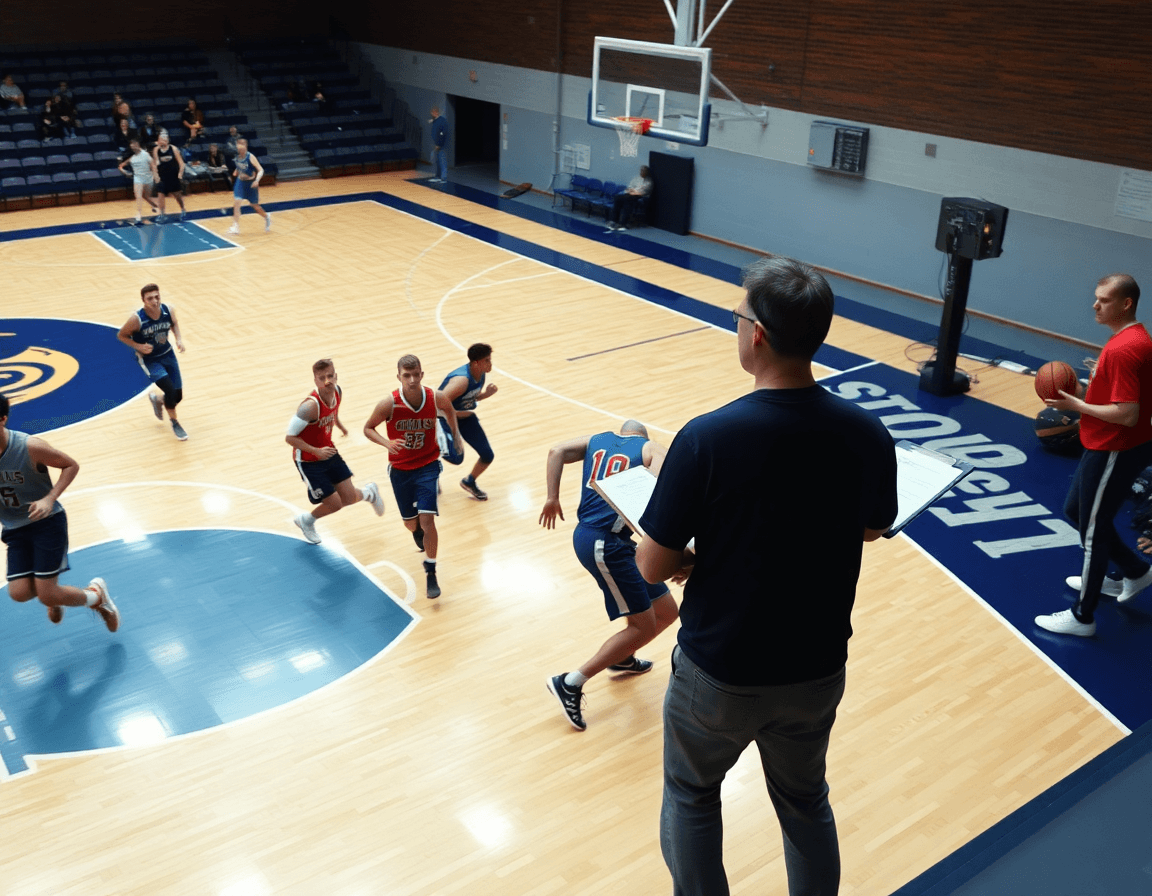
In my weekly scouting workflow, video integration is the backbone. I attach specific clips to scout notes—either at the player level or for a particular possession—and categorize them by action: BLOB, SLOB, ATO, PnR. This creates a video-integrated scouting report that threads game footage directly to each bullet in the basketball scouting report template I rely on. When I’m outlining plan specifics for the week, those clips serve as concrete evidence for what we’ll emphasize in practice.
Clip length matters. Short and searchable clips—6 to 12 seconds max—let us quickly review a pattern without sifting through a full sequence. I tag each clip with the corresponding bullet (for example, “ball denial on the wing,” “PnR hedge too aggressive,” or “defensive rotation breaking down”) and link it to the matching line in the scouting notes. That keeps clips aligned with team tendencies, player tendencies, and micro-behaviors we want to address, so our plan remains precise and actionable.
Delivery is where the workflow shines. I use clip sharing to build clean, controlled access playlists for players and staff. A player-specific playlist highlights their individual clips, while a team playlist groups clips by action or defensive/ offensive scheme. With controlled access, the right people see the right stuff, when they need it. This approach makes a repeatable weekly process feel natural—turning scouting notes into ready-to-use video for practice planning and game prep.
Keywords: video-integrated scouting report, clip sharing, playlists.
Opposition tendencies: track sets, pacing, and defenses
Opposition tendencies drive the weekly plan. As coaches, we translate a basketball scouting report example into a repeatable workflow by compiling a team tendencies report from the data: offensive sets, tempo, and substitutions. In our scouting report template, I jot concise notes on which sets they lean into early in possessions, how their pace shifts across quarters, and who they ride for key minutes. That becomes the backbone of the weekly plan and the game-day lens we bring to practice. When I assign tasks to assistants, I label items under Opposition so we can build a concise one-page game-day document for staff and players.
During practice week, the whiteboard becomes our diagnostic tool. I reproduce the opponent’s patterns using BLOB/SLOB/ATO/PnR diagrams and place a quick tempo cue next to each action. We document not only the action but the substitutions that accompany it—who checks in, where spacing shifts, and how the defense responds. This ensures our plan includes specific adjustments: when we expect a ball-screen dive, we rehearse the appropriate cover and counter. The result is a repeatable sequence in our playbook that translates to live reps in practice and a quick video clip for the team playlist.
Defensive schemes and triggers: identify the opponent’s go-to defensive schemes and the cues that prompt changes in coverage. In the scouting notes, we track when they switch to a hard hedge after a ball-screen, or when they drop to protect the paint after back-to-back drives. We flag micro-behaviors—shot fakes, late closeouts, weak-side rotations—that signal their preferred responses. With that data, we shape practice focus: closeout discipline, rotation timing, and the option to shift defenses mid-game. The goal is a current mental map and ready-to-show clips for quick coaching notes.
Practical workflow step: 60-minute scouting sprint
Starting the 60-minute scouting sprint, I pull opponent video and a clean basketball scouting report template. Step 1 (0-10 min): quick plan and template selection based on the video. This is where I lock in the weekly scouting process and pick between a full team tendencies report or a concise one-page game-day document, depending on what the staff needs most.
Step 2 (10-25 min): annotate 3-5 key players with bullets and 1-page structure. From the film, I identify 3-5 players who shape the opponent’s actions. I craft bullets on their primary reads, go-to sets, and micro-behaviors, and assemble a simple one-page structure to summarize each player. This is the core of the basketball scouting report template in action.
Step 3 (25-40 min): pull and categorize clips; map clips to bullets. I pull clips from the cut gallery, tag them by category (team tendencies, offensive sets, defensive schemes), and map each clip to the relevant bullet. On the tactical whiteboard, I link clips to diagrams (BLOB/SLOB/ATO/PnR) to visualize sequences players run and how we counter them. The result ties video clips to concrete game plans.
Step 4 (40-50 min): create diagrams and export to PDF; prepare a shareable link. I draw the key diagrams, export the plan as a PDF, and assemble a shareable link that houses the clips and notes. This keeps the CourtSensei-style workflow clean and portable for the staff and players to review.
Step 5 (50-60 min): share with staff and players; assign in-practice tasks. With the scouting report ready, I circulate it to the staff and players, and set in-practice tasks to address the week’s emphasis. The finished sequence becomes a solid scouting sprint component of the broader weekly scouting process.
If you build plans like this every week, CourtSensei keeps your drill library, whiteboard, and video clips in one place — try it free.
FAQ
What is a basketball scouting report, and why should I use one in weekly prep?
A basketball scouting report is a concise briefing on an opponent’s tendencies, personnel, and key actions that guides practice, film sessions, and in-game decisions. It translates raw notes into a repeatable framework for the week, anchored by a clear team identity and a plan for counters. It helps you prioritize reads, assign clips, and align staff across drills and film.
How do you write a basketball scouting report?
Start with five sections—team identity, personnel matchups, key possessions, edges, and action items. Use crisp language and concrete metrics, then map each item to your weekly plan and drills. Include micro-behaviors and counters, plus links to relevant clips. Create a clean scouting report template and attach quick notes for the bench and film room.
How long should a scouting report be?
For weekly prep, aim for a one-page, game-day document that you can read at a glance. The full opponent dossier exists in deeper notes, but the core brief should stay tight, actionable, and easy to scan during drills and huddles. This keeps decisions crisp and aligned with practice emphasis.
How often should scouting reports be updated?
The cadence is weekly, with updates after film sessions or a change in opponent strategy. Revisit priorities, tweak counters, and refresh clips for the bench. Keep the weekly workflow current so players know what to defend or attack, and ensure the shareable playlists reflect the latest adjustments.
What should be included in a scouting report?
Include five core sections: Team identity, Personnel matchups, Key possessions, Edges, and Action items. For each, note pace, sets, and defensive schemes; identify primary ball handlers and shooters; highlight 3–5 possessions that decide games; list timing and counter options. Also add micro-behaviors and linked clips to guide practice and film.
What is a one-page game-day scouting document?
It's the compact, ready-to-use sheet the bench and film crew rely on at game time. It pins down core counters, rotations, and priorities in a clean format, often with diagrams or quick notes. Use it alongside whiteboard diagrams and clips, so players can execute the game plan with confidence during timeouts and early in the game.
