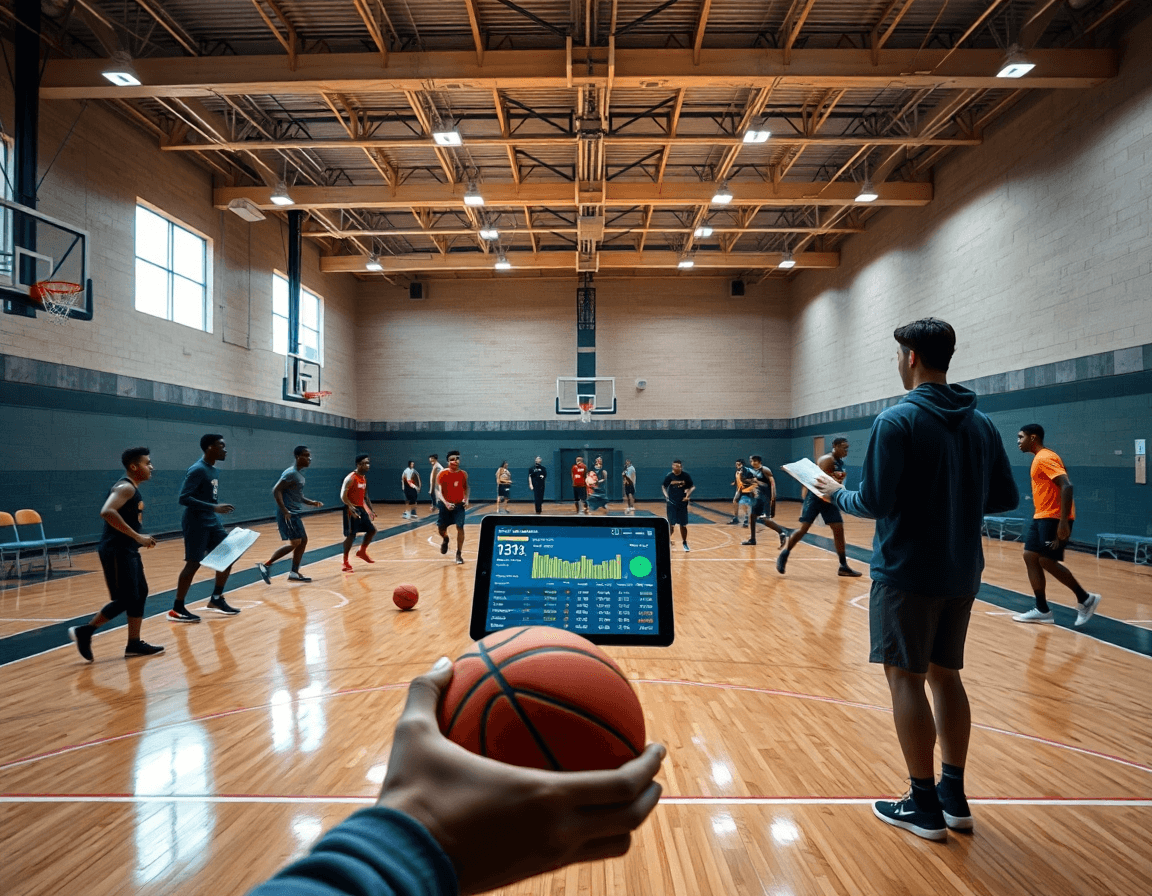
Basketball Stat Tracker for Weekly Coaching
Discover how a basketball stat tracker fits into a coach's weekly workflow—from real-time stats and box scores to scouting, video review, and play creation.

Key takeaways
- Use real-time stats to shape weekly practice priorities around minutes, key plays, and development.
- Export CSV and PDF exports to share findings with staff and scouts efficiently.
- Pair box-score and play-by-play trends with video clips to explain decisions clearly.
- Create a weekly workflow: plan, board, video, scouting, and shareable playlists for accountability.
- Use offline mode and reliable data exports to keep practice momentum when connectivity drops.
Why a basketball stat tracker matters in a coach's weekly workflow
As a head coach, a basketball stat tracker isn't just numbers—it’s the heartbeat of my weekly plan. With real-time stats at hand, I map practice priorities around players who logged big minutes, made key plays, or need development. If a guard’s efficiency dips in the fourth, we adjust the plan and drill focus; if a post is gobbling boards, we weave extra finishing reps into the early segment. It’s coaching tuned by data, turning nights of tape into a tangible weeklong plan.
From the box score data and season averages set the long view for rotations and game prep. A quick glance shows who logged crunch-time minutes, who got to the line, and which lineups produced clean possessions. That context—paired with season averages—shapes minutes in the coming week and clock management in close games. And the play-by-play data lets me flag trends and opponent tendencies before the next matchup, guiding both scouting notes and on-court decisions during practice.
All of this feeds a cohesive weekly workflow: plan, board, video, scouting, and shareable playlists. I pull stats into the plan, diagrams on the whiteboard, short video clips that illustrate the exact sequences, and scouting notes that frame upcoming opponents. I export the week’s data as a CSV export for assistants and a PDF export of scouting summaries, while offline mode keeps critical files accessible in the gym. That thread of data and clips turns a routine week into a proactive game plan.
Practical workflow: from data capture to game-ready insights
At the start of the week, I set up stat templates in CourtSensei that align with our plan. These templates drive our real-time stats and feed the data into the planning and scouting workflow. We connect numbers to visuals on the tactical whiteboard—box-score totals, shot charts, and play-by-play notes—so the board reflects what we’re policing in practice. That linkage keeps the weekly rhythm clear for coaches and assistants alike.
During drills and scrimmages, stats are captured on the fly with voice entry or quick taps. The offline mode keeps the flow smooth when Wi‑Fi is spotty, so turnovers, assists, and clock management stay accurate. After a session, I review the numbers alongside video notes and draft concise feedback for players and the scouting section.
I export the box scores to CSV export and PDFs for reports and planning. CSV export lets the staff analyze trends in a spreadsheet, while PDF export gives us a clean, printable box score and shot-chart page for scouting reports and game prep.
Finally, stats tie directly into planning and scouting. I push notes into the scouting reports, attach relevant clips, and generate shareable links for assistants. The loop ends with board-ready visuals and a playlist of video clips ready for review—data fueling decisions, diagrams, and play reviews.

Integrating stat data with practice plans and tactical boards
As a coach, the week starts with a basketball stat tracker feeding into planning. I pull the box score, play-by-play, and shot charts to spot trends, then use a CSV export to drop the numbers into the plan. That lets me design drills around the numbers and set clear weekly emphasis. If the data shows our pace drops in the second quarter or we’re getting crushed on the weak-side, I map that into a 20-minute block of drills—transition sprint work, eye-on-the-ball communication, and decision-making in crowded spaces. The goal is to translate numbers into action, not excuses.
For the actual practice, the whiteboard becomes the living map of the week. I translate the trends into action diagrams—where to emphasize ball-screen reads, how to close gaps, and which sets to prioritize for the next game. I update the BLOB/SLOB/ATO/PnR diagrams based on who’s trending and where breakdowns show up in the data, then annotate with quick notes from scouting and play-by-play clips. The visuals guide reps and coach-to-player talks during practice, keeping the staff aligned.
Finally, stats drive decisions on what we run live. We use the numbers to decide which plays and defensive adjustments to prioritize—leaning into PnR/ATO sets or clock-management tweaks. I script 2-3 live blocks that mirror those needs, and pull video clips to reinforce the concepts during drills. All of this stays connected to planning, the whiteboard, and the scouting notes, and the team leaves with a cohesive weekly plan—and a playlist of clips to review in the video room.
Video context: turning stats into on-court action with clips
Link player and team stats to video clips for context. When I pull the box score and real-time stats from the basketball stat tracker after a game, I don’t just glance at numbers. I pair each key stat with a clip that shows the play in question—a missed open look, a blown rotation, a miscommunication on a screen. That way the bench sees not just what happened, but why it happened. In the plan for the week, I map shots and turnovers to the clips, and our assistants can annotate alongside the play-by-play. It creates a narrative that links data to on-court decisions, turning raw numbers into actionable insight via video clips.
From there, I build playlists of clips that illustrate trends in our own game and in an opponent’s tendencies. If the scout report highlights how a team overhelps on the weak side in late clock, I assemble a clip chain that shows two or three possessions where that habit cost us. These playlists become a living library I pull up on the sideline or project onto the whiteboard as we draw patterns. The video context makes the stats tangible and the coaching decisions clear, helping us translate what happened into what to do next.
I push a quick message with a link to a scouting playlist—the clips are embedded in the notes so the team can watch on any device. Players can annotate on the fly and we circle back in the next practice. If the gym is spotty on Wi‑Fi, the offline mode keeps the clips accessible, so the plan stays on track. Sharing insights through shared links or embedded clips keeps everyone aligned—from scouting notes to the week’s plan on the board.

Scouting and opponent prep powered by stats
As a head coach, I kick off the week in the training plan by building scouting reports from opponent stat patterns. A basketball stat tracker pulls real-time data from box scores and shot charts, letting me map how they score and how fast they push the pace. I note who their primary scorers are, what shot types they live on, and where their offense breaks down in late shot-clock situations. Those observations become the backbone of our scouting reports and the opponent stat patterns we’ll walk through on the floor. When I step into the gym, the board gives a clear read on tempo and distribution, so players know what to expect before we start.
Then I dive into play-by-play data to anticipate counter-moves. The stat tracker translates every possession into cues: traps, switches, and late-game decision points. We export a CSV export and a PDF export for the staff, so the assistants and video crew are aligned. Those cues drive our practice plan—defensive rotations, counter-sets, and a couple of quick plays we map on the tactical whiteboard for the next session.
Finally, I tie scouting notes back to the weekly plan and play designs. In the training plan, we lock in reps intended to counter pace and shot-type mix, plus clock-management moments that keep us in control late. The scouting notes link to the whiteboard diagrams, and we pull a short video clip to illustrate the exact read we want players to make in game-like reps. This cohesive workflow—planning, board visuals, video review, and scouting—keeps the week streamlined and ready for game day.
Exporting, archiving, and sharing stats with the team
As a coach, I want the weekly numbers to live in the same workflow that shapes practice. Export data as a CSV export and a PDF export for archiving and reports. After Saturday's game, the CSV export feeds the assistants with real-time stats, the box score, and the play-by-play so we can discuss what happened without chasing paper. I also generate a PDF export for the staff meeting, pairing it with the week’s plan and the new scouting notes. The shot charts and clock management details show up alongside the tactical diagrams on the whiteboard.
On the bench, the plan and the board stay in sync with the rest of the team thanks to cloud sync. If I’m in the film room or on the road, the data I scored during the game is available across devices, and I can pull up the latest numbers on my laptop, tablet, or phone. When wifi is spotty, offline mode lets me keep scoring and annotating; when connection returns, everything uploads automatically and everyone sees the updates.
Maintain a central repository of stats linked to plans and videos. This tight linkage means a stat set is always tied to the relevant practice plan and the exact video clip that illustrates it. From there, it’s simple to build shareable playlists for players that highlight their shots, decisions, and clock management moments. In film sessions, the box score and shot charts are not abstract numbers but a story connected to what we planned in the week.

Starter weekly checklist for coaches
As a coach, the weekly rhythm hinges on a reliable basketball stat tracker. Before the week starts, I build out stat templates aligned to the game plan and set targets for our players—shots per game, pace, and turnover thresholds. I drop those targets into the plan so the offense and defense stay synchronized on the whiteboard. The aim is a clear, actionable path for practice design and scouting reads, not just pages of numbers.
During the week, I keep stats live, capturing real-time stats and tagging quick notes. The play-by-play and clock management data feed our diagrams on the tactical board: marking who initiates a drive, where spacing broke down, and which sets produced clean looks. When we share results, we usually export CSV or PDF reports for the staff, and the offline mode keeps us productive when Wi-Fi acts up. Short video clips linked in playlists lock in the teachable moments for players.
Post-week, the box score is generated, and I update our planning docs accordingly. I use the stat data to adjust plays in the whiteboard, creating or tweaking diagrams based on what happened. Export options like CSV export or PDF export help file the report and push changes to the staff. Reviewing clips remains a focused session with the team, while scouting notes get folded into the next opponent plan. The weekly checklist keeps planning, board visuals, video review, scouting, and playlists in one cohesive loop.
If you build plans like this every week, CourtSensei keeps your drill library, whiteboard, and video clips in one place — try it free.
FAQ
What is a basketball stat tracker and why should I use it in my weekly coaching?
Think of a basketball stat tracker as your weekly data heartbeat. It collects practice and game numbers, turning raw metrics into an actionable plan. With real-time stats at your side, you can prioritize drills, minutes, and development for players who logged big minutes or produced clutch plays. It helps convert evenings of tape into a concrete, week‑long coaching plan you can actually execute.
What stats can a basketball stat tracker track?
Most stat trackers capture the box score, shot charts, and minutes. They track rebounds, assists, turnovers, fouls, and shooting efficiency, plus lineup data and pace. The result is a holistic view of team and player performance, with clear trends you can leverage for practice emphasis, rotation decisions, and scouting notes.
How does real-time stat tracking work in practice?
During drills, you capture stats on the fly using real-time stats presented by voice entry or quick taps. The data feeds planning and scouting immediately, letting you see trends as they happen. If Wi‑Fi dips, the tracker runs in offline mode so turnovers, assists, and clock management stay accurate.
Can stat trackers be used offline?
Yes. Most trackers offer an offline mode that stores data locally until you reconnect. This lets you log possessions in the gym, then sync the full dataset later. Offline access also keeps templates and scouting notes usable when the internet is unreliable.
How do you export stat data from a basketball stat tracker?
You’ll typically export to CSV export and PDF export to share with assistants and upload to scouting reports. CSV lets analysts dig into trends in spreadsheets, while PDFs provide clean, printable box scores and shot charts for game prep and quick staff review.
What is a shot chart in basketball analytics?
A shot chart visualizes where a player or team shoots and makes baskets. It highlights shooting hot spots, spacing, and how often you attack certain areas. Paired with the box score, it helps diagnose gaps in offense and defense, guiding practice design and scouting adjustments.
What is a box score and why is it important?
The box score is a concise snapshot of a game's actions: minutes, points, rebounds, assists, and turnovers by player. It helps you judge effort, allocate minutes, and shape weekly scouting. When you pair it with play-by-play and shot charts, you get a complete picture for planning and game prep.
