
Basketball Tryout Sign In Sheet: Templates & Workflows
Practical guide to basketball tryout sign in sheet templates and online forms that fit a coach's weekly workflow. Learn fields to collect and how to connect attendance with scouting and plans.

Key takeaways
- Integrate the sign-in sheet into weekly planning as a predictable intake point, not a one-off hurdle.
- Use a clear sign-in template with essential fields (date of birth, grade, positions) to speed on-site sign-ins.
- Link sign-in data to the roster and scouting notes, using an online registration form to lock data early.
- Choose scalable formats (printable PDFs, Excel/Sheets, online forms) and maintain a single sign in sheet template across sessions.
- Design a practical workflow that creates a clean data trail from sign-in to roster updates.
- Ensure your 5-step flow feeds scouting reports and drill planning for the week ahead.
Why a sign-in sheet belongs in weekly planning
From a coach’s perspective, a sign-in process should be baked into the weekly planning rather than treated as a one-off hurdle. The basketball tryout sign in sheet becomes a predictable intake point that lines up with the rest of the week. When I draft the weekly plan, I slot it right next to the practice plan and scouting prep, so attendance and consent are not surprises on game day. That alignment is what I’ve come to call a true planning checklist in action.
I start with a sign-in sheet template that matches the data we actually need: date, date of birth, grade, positions previously played, and positions trying out for. I also keep a field for consent and contact info so we can follow up quickly. We often route early registrations through an online registration form, then print a quick on-site sheet for the gym floor. Keeping these fields tight helps us move players through the line faster and avoid bottlenecks during tryouts.
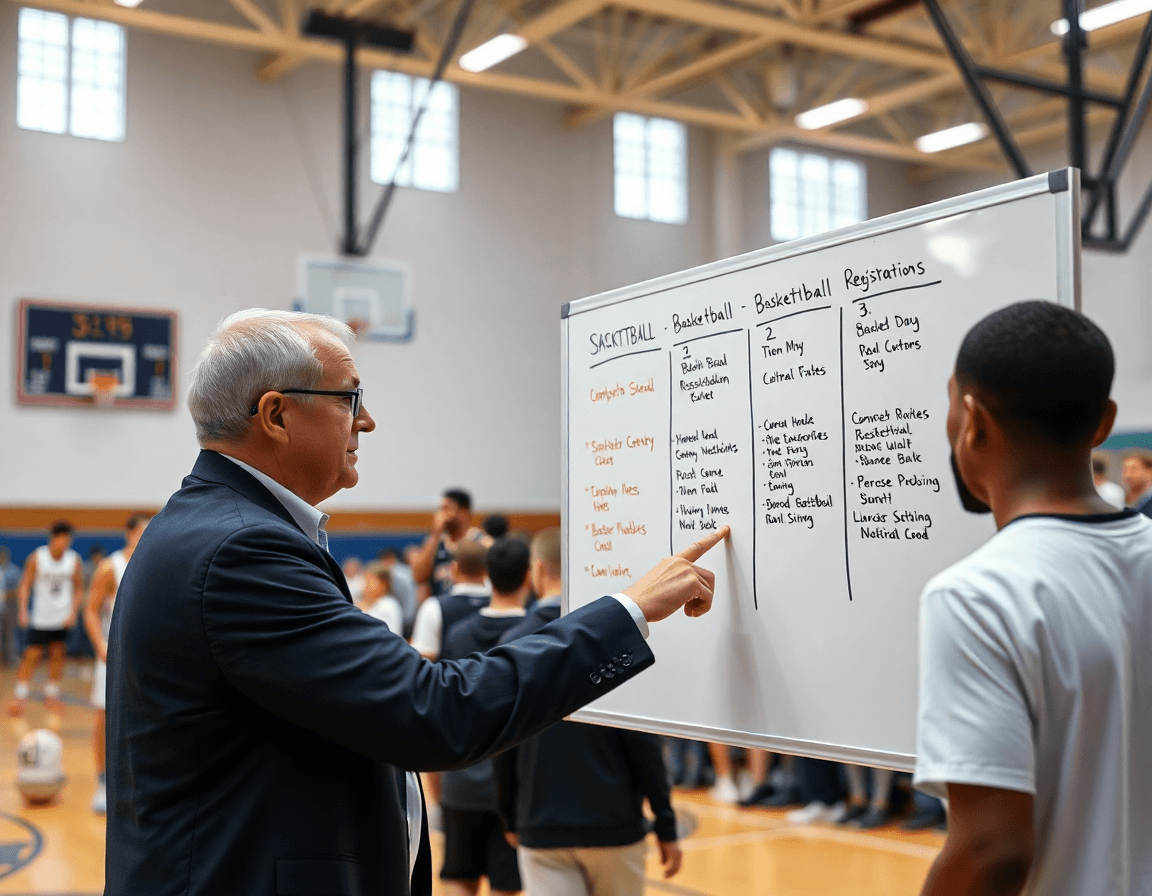
On the whiteboard, I diagram the sign-in/registration flow so assistants can see it at a glance. It maps who pre-registered, who signs in on-site, and where consent pockets fit into the flow. I’ll annotate where the data feeds into practice plans for the week and where the next scouting notes will reference the new faces. The goal is a seamless rhythm: when the flow is clear, the rest of the day stays on track.
The data pipeline matters here. Attendance and consent feed into scouting notes and future drill plans, so the team can prioritize development for the players who show up and show potential. With this setup, a simple sign-in becomes a reliable input for a smarter weekly plan, not a separate admin task.

Templates and formats that fit your setup
As you map out the week, pick formats that scale with your roster. For a basketball tryout sign in sheet, you’ll want options that work on gym day and from home. Printable PDFs are quick, portable, and easy for volunteers; Excel/Sheets lets you slice data after the session, and online forms collect sign-ups before the doors open. Each format can slot into your weekly plan, so attendance and consent aren’t a separate chore.
Key fields matter, and they should be consistent across sessions. Essential entries include player name, date of birth, grade, contact info, and parent/guardian details. You’ll also want a waiver field and a payment option if applicable. Whether you’re running a large camp or a single afternoon session, keeping these fields in a single sign in sheet template makes it easy to process everyone and feed the data into your scouting notes later. If you prefer a pre-registration flow, an online registration form can lock in data before players step onto the court (date of birth, grade, positions previously played, and positions trying out for).
If your staff toggles between formats, an editable template saves time and reduces errors across sign-ins. Updates to fields, adding notes, or adjusting drills won’t break the workflow, and you can copy the setup for future tryouts. The goal is a smooth transition from sign-in to practice plan, with the day’s data ready to propel scouting reports and upcoming drill plans. A clean, adaptable template keeps your week moving without juggling paper and spreadsheets mid-session.
From sign-in to registration: building the flow
On the first day of the week, I map the attendee flow from check-in to roster creation. The aim is a single, continuous arc: a player sign-in, eligibility is checked, and the roster updates in CourtSensei. At the door, we run a quick digital sign-in on a tablet. The assistant records basics—date of birth, grade, and positions previously played—and the data flows to the roster in the system. With the basics captured, we pivot to the whiteboard to diagram the next steps for every coach on the floor.
Next, I link the sign-in data to an online registration form for fees and permissions. This keeps attendance usable as a real entry, not a one-off sheet. We use a basketball tryout registration form template to capture the essentials: date of birth, grade, positions previously played, and the positions trying out for. The form also includes a registration fee and a simple payment gateway so the admin side stays clean. When players finish registration, the data feeds the roster and scouting notes for the week ahead.
Finally, I build a data pipeline that feeds scouting reports and future rosters. The sign-in data becomes the seed for notes on who showed up, who consented, and where each player fits positionally. Throughout the week, we pull that data into scouting reports and start drafting drills for the next session. The whiteboard diagram shows a clear loop: sign-in to roster, roster to scouting, scouting back to practice plans. When assistants see the flow on the board, the weekly prep feels like a natural extension of the game rather than a separate admin chore.

Practical workflow: 5 steps to run a sign-in at tryouts
Here's a practical, 5-step workflow to run a basketball tryout sign in sheet that fits into a coach's weekly routine. The goal is to weave attendance and consent into your plan for the week, not treat it as a one-off task. In a typical setup, you’ll pair the basketball tryout sign in sheet with an online registration form, wire the process into your plan for the week, and diagram the flow on the whiteboard so assistants see the path from arrival to roster decisions. The result is a clean data trail that feeds your scouting notes and future drill plans.
Step 1: Prepare the sign-in sheet and waiver in advance. Use a sign-in sheet template that includes fields like date of birth, grade, positions previously played, and positions trying out for. Have the waiver ready so you can collect consent without slowing the line.
Step 2: Collect data at the door and verify eligibility. A quick check of birth year and eligibility flags keeps the pool clean and the evaluation focused. Keep the process moving by guiding players to fill in any missing items on the spot.
Step 3: If applicable, collect fees via a payment gateway. When there’s a registration fee, route it through a secure online gateway and issue receipts. Tie the payment status back to the sign-in record so you don’t miss a name or a payment.
Step 4: Export data to PDF/CSV and share with staff. After the tryout, export roster details, consent status, and field responses so staff can review offline or in a planning meeting.
Step 5: Import attendance into scouting reports and future plans. Feed the attendance data into scouting templates and the plan for the next drills, so today’s numbers shape tomorrow’s practice. This pulls the sign-in into the weekly workflow, not apart from it.
Turning attendance data into scouting insights
Turning attendance data into scouting insights starts with a clean data trail from the week. After the basketball tryout sign in sheet is collected, I pull the entries from our online registration form and merge them with my scouting reports. The goal is to spot patterns: who attends consistently, who misses sessions, and how attendance correlates with drill performance. That data sits in the same workflow as the plan; on the tactical whiteboard I label attendance trends so they’re immediately visible. We capture fields like date of birth and grade, which helps sort notes and tailor next week’s conversations. Attendance stops being a one-off task and starts shaping decisions.
Tracking the fields positions previously played and positions trying out for gives deeper color. If a player has a background at guard but shows up for a forward drill, I annotate that in the scouting notes and adjust the drill design accordingly. That data feeds the scouting reports, then flows into the drill library and into the weekly plan for next week’s sessions. When I diagram the flow on the whiteboard, it’s easy to visualize how attendance aligns with role expectations for the team.
Over time, attendance data informs the weekly plan and the upcoming tryouts. I pull a quick snapshot: who attended for the speed and decision-making drills, who was missing, and what that says about readiness for the next batch of cuts. If a trend shows players with better attendance improving in certain game-situations, I pull a short video clip to verify and annotate in the scouting note. The result is a tighter feedback loop: sign-in data feeding scouting notes, which in turn informs the drill design and future tryouts.
Sharing, archiving, and compliance: clean data practices
As a coach who runs weekly sessions, I treat the basketball tryout sign in sheet as part of my plan, not a one-off task. The sign-in data flows with my practice plan: I start the week with a roster check, confirm consent, and note any medical flags before warmups. For staff access, I generate shareable links so assistants can log arrivals in real time, and I export a clean file to drop into tomorrow’s scouting notes. That cohesive flow keeps attendance, consent, and notes aligned with how I diagram plays on the whiteboard.
Archive and reuse: I save the signed sheets as PDFs for easy distribution and record-keeping. When the season demands, I can pull embedded forms from the system to redo a sign-in for a late group without creating chaos. I capture essential fields like date of birth, grade, positions previously played, and positions trying out for, so I have a ready reference for practice planning and scouting notes.
Compliance and accessibility: waivers and payments must stay aligned with our program policies. I keep waivers on file and rely on a smooth integration with the payment gateway and online registration form, which helps reduce friction for players and families while keeping receipts and audit trails clean. Staff can access waivers and sign-in data through secure exports or shareable links, and I periodically review the workflow to ensure the data stays tidy, compliant, and easy to retrieve when we’re constructing tomorrow’s drills.
If you build plans like this every week, CourtSensei keeps your drill library, whiteboard, and video clips in one place — try it free.
FAQ
How should a basketball tryout be structured?
A solid tryout flow keeps coaches calm and players focused. Start with a quick intro, then a warm-up, skill stations (dribbling, shooting, defense), and a live 5v5 or controlled scrimmage. Use a consistent sign-in to roster flow so attendance feeds the roster and scouting notes. Keep the week’s drills aligned with the plan.
What information should be on a basketball tryout sign-in sheet?
Capture the essentials so you can process players fast and follow up later. At minimum list date, player's full name, date of birth, grade, and contact info. Add positions previously played and positions trying out for, plus a waiver and consent field and emergency contact. A clean sign-in sheet template keeps data consistent for scouting notes.
Do you need a basketball tryout registration form template?
Yes. A registration form template bundles pre-registration and on-site check-ins. Use fields for date of birth, grade, positions, and a place to collect a registration fee and payment status. Pair it with a waiver and consent flow so you can prep rosters ahead of time. A template keeps your process scalable across sessions.
How do you create a basketball tryout registration form online?
Create an online registration form and publish. Pick a platform you trust, build the fields once, and make it easy for players to sign up. Include date of birth, grade, positions, and a spot for a registration fee if needed. Connect the form to your roster so entries auto-populate scouting notes. Test the flow end-to-end before tryouts.
Can registration forms collect payments for tryouts?
Yes. Add a registration fee field and a payment gateway. Capture receipts and refund policies up front, and route failed payments back to the sign-in sheet for follow-up. Keep the data in one place so attendance, consent, and fees align with the roster.
Can you embed a basketball tryout registration form on a website?
Absolutely. Most form tools offer an embed option (iframe or script). Place it on a dedicated page so parents can pre-register via an online registration form before doors open. Ensure responsive sizing and test on mobile. The data will still feed your roster and scouting notes.
