How to Plan Weekly Practices with Basketball Drills Software
Build a reusable basketball drill library and turn it into clear, timed weekly practice plans connected to plays, video and game preparation.

Key takeaways
- A useful drill library stores the purpose, setup, duration and coaching points of each drill, not just its name.
- Build practices in timed blocks and leave room for teaching, water, transitions and unexpected repetition.
- Choose drills from the week's basketball priorities rather than filling time with familiar activities.
- Link drills to the plays, clips and scouting ideas they are meant to teach so the plan keeps its context.
- Review the plan after practice and improve the reusable structure instead of rebuilding every session from zero.
What basketball drills software should solve
Most coaches do not lack drills. The harder problem is finding the right drill at the right time and fitting it into a coherent practice. Notes may be spread across old documents, screenshots, notebooks and messages. Even a strong drill loses value when nobody remembers its setup, progression or original teaching point.
Basketball drills software should solve that organization problem. It should give each drill a stable home, make the library searchable and let you place selected drills inside a timed practice plan. The goal is not to generate a perfect session automatically. The goal is to make your own coaching knowledge easier to retrieve and reuse.
If practice structure is the main need, a dedicated basketball practice planner can keep the drill library and timed session blocks in one workflow.
Build drill entries another coach could understand
A drill entry should be clear enough that you can open it months later and remember why it exists. At minimum, record:
- the objective in one sentence
- the basic setup and number of players
- expected duration or repetitions
- equipment and court space
- two or three coaching points
- the condition that makes the drill harder or easier
Avoid naming a drill only after a person or place unless the description explains it. “Madrid finishing” may make sense today, but “two-foot paint finish through contact” is easier to retrieve later. You can keep the familiar nickname while adding a descriptive title or tags.
Separate instructions from coaching points. Instructions explain what players do. Coaching points explain what you will observe and correct. For a closeout drill, the setup may describe the pass and rotation; the coaching points may focus on sprinting the first steps, arriving under control and taking away the drive without opening the middle.
When one drill develops into another, record that progression: begin without defense, add a guided read, then finish with a competitive constraint tied to the same objective.
Turn weekly priorities into timed practice blocks
Plan from the game and development needs backward. Choose two or three priorities for the session, then decide how much time each deserves. A practice with ten priorities usually teaches none of them well.
A simple sequence might include:
- warmup and movement preparation
- individual or position skill work
- introduction of the day's team concept
- guided drill with reads or defense
- competitive live play
- special situation or review
- cooldown and final message
Assign a realistic duration to every block. Include transitions between drills, explanations and water. If practice lasts 90 minutes, scheduling 90 minutes of activity leaves no room to coach. It is often better to protect fewer blocks and teach them well.
Link the saved drill to its practice block rather than pasting the full description into the plan. The block can hold session-specific notes—such as today's emphasis or a restriction—while the library keeps the reusable drill instructions. This reduces duplication and makes later edits easier.
Connect drills to plays and tactical teaching
Team drills are easier to understand when players can see the action they are rehearsing. If a drill develops the second side of a horns set, connect it to the saved diagram or animation. The play shows the whole picture; the drill isolates the detail that needs repetition.
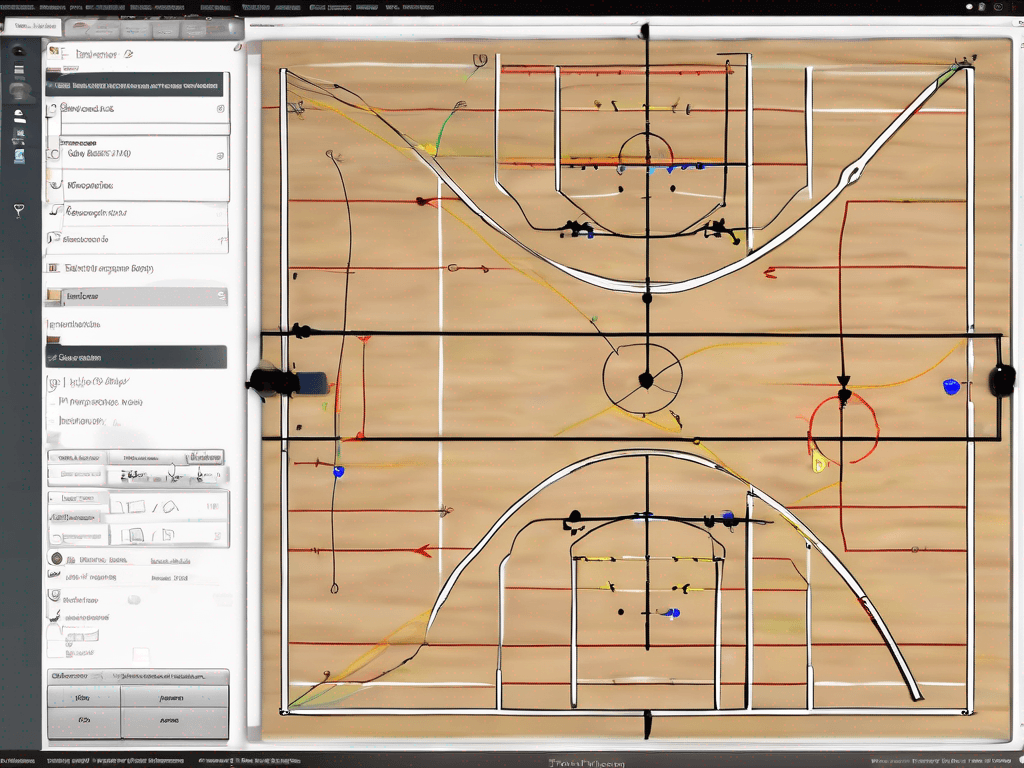
With basketball playbook software, an action can be drawn across several frames and kept in a searchable playbook. The same play can then be linked from a practice block so the plan explains why that drill is scheduled.
You do not need a finished digital playbook to test this teaching method. Draw the essential alignment in the free basketball play designer, export the image and use it when introducing the drill. Keep the diagram simple enough that players can connect it to what they will do on court.
Use video and scouting context selectively
Video can support a drill when it answers a specific question. Manually cut a short possession that shows the behavior you want to teach: the timing of a tag, the angle of a screen, the spacing after penetration or the defensive mistake that created the week's priority.
Place related clips in a focused playlist and connect the playlist or clip to the relevant coaching work. A read-only share link is useful when players or staff need to review that selected material without seeing the rest of the private workspace. Avoid giving the group a long playlist without a viewing instruction. One sentence—“watch the weak-side defender before the second pass”—turns film into a teaching task.
Opponent preparation can shape the practice plan in the same way. A basketball scouting report may identify an action or tendency that requires a specific drill. Link the scout play, clip or game-prep note to the practice block. The drill then has a clear reason for being in the session.
The connection should remain simple: scouting identifies the problem, the diagram defines the response, and the drill creates repetition. Software helps preserve those links, but the coach still decides what matters.
Review practice and improve the library
After practice, write a short note while the session is still fresh. Did the drill create the decision you wanted? Was the space too large? Did the explanation take longer than expected? Should the next version begin with fewer players or move more quickly to live defense?
Update the reusable drill only when the learning applies every time. Put day-specific observations in the practice notes. This distinction keeps the library clean while preserving what happened in the session.
Periodically archive duplicates and standardize tags. A consistent library becomes more useful over time because it reflects tested coaching choices rather than a random collection.
How to evaluate basketball drills software
Test the tool with one real week, not a sample feature list. Add five drills you already know, build a timed session, link one play and one manually selected clip, then export or print the plan. Ask whether the workflow made preparation clearer and whether you could find the material quickly during practice.
Also check privacy, export formats and pricing. You should understand what is shareable, what stays private and what happens to your plans if you stop subscribing. CourtSensei's current trial and subscription details are available on the pricing page.
Frequently asked questions
What belongs in a basketball drill library?
Store the objective, setup, duration, equipment, coaching points and progressions. Add tags that match how you search, such as skill, phase of play or defensive concept.
How many drills should be in one practice?
There is no universal number. Use enough variety to support the session priorities, but leave time for instruction, transitions and live application. Fewer well-connected drills often produce a clearer practice.
Can I reuse a practice plan every week?
Reuse the structure as a template, then adjust the content for player development, schedule and opponent needs. A template should save setup time without locking you into the wrong priorities.
Should every drill include video?
No. Add video only when a short clip clarifies a decision, timing detail or game context. A precise coaching instruction is more useful than video added without a purpose.
Can a drill link to a play or scouting report?
Yes. Connecting the drill to the relevant play, clip or game-prep note helps preserve why it appears in the practice plan and makes the teaching sequence easier to follow.
