Basketball Coaching Software for Weekly Workflows
Learn how basketball coaching software fits into a coach's weekly workflow—planning drills, drawing plays, trimming video, scouting opponents, and sharing playlists.

Key takeaways
- Start with the coaching outcome you need this week, then choose software that removes handoffs from that workflow.
- Build timed practice plans from a reusable drill library instead of rebuilding every session from a blank page.
- Keep diagrams, animated plays, playbooks, clips, scouting notes, and game-prep resources connected to the work they support.
- Use short, manually selected clips and focused playlists so film review has a clear purpose.
- Test the full workflow before subscribing; a long feature list matters less than whether the tool fits the way you coach.
What basketball coaching software should help you accomplish
Basketball coaching software should help you move from an idea to a usable coaching resource with fewer interruptions.
Imagine the end of a normal preparation cycle. You have a timed practice plan ready for the gym, drills arranged in the order you will run them, diagrams for the actions being installed, a short playlist for film review, and scouting material connected to the opponent plan. You can open the relevant resource without searching through several folders or recreating work from memory.
That is a better way to evaluate a product than counting features. Start with the result, then work backward: what must you plan, draw, clip, organize, or share to get there? CourtSensei gives you a structured place to create and connect those resources.
Build a timed practice plan from a drill library
A practice plan becomes useful when it answers three questions at a glance: what are you teaching, how long will each segment take, and what comes next?
Begin with the total time available. Add warm-up, teaching, skill, team, situational, and competitive blocks as needed, then assign a duration to each segment. The running total forces useful decisions before you reach the court. If your first draft takes 105 minutes but the gym reservation is 90, you can adjust the plan while there is still time to think.
A reusable drill library makes that process faster. Save drills you expect to use again with a clear name and enough instruction to remember the purpose. When planning the next session, select the appropriate drills and place them into the timed sequence. You remain responsible for choosing the progression, intensity, and teaching points; the software simply prevents repeated setup work.
For a closer look at this part of the workflow, see the basketball practice planner.
Turn tactical ideas into plays and playbooks
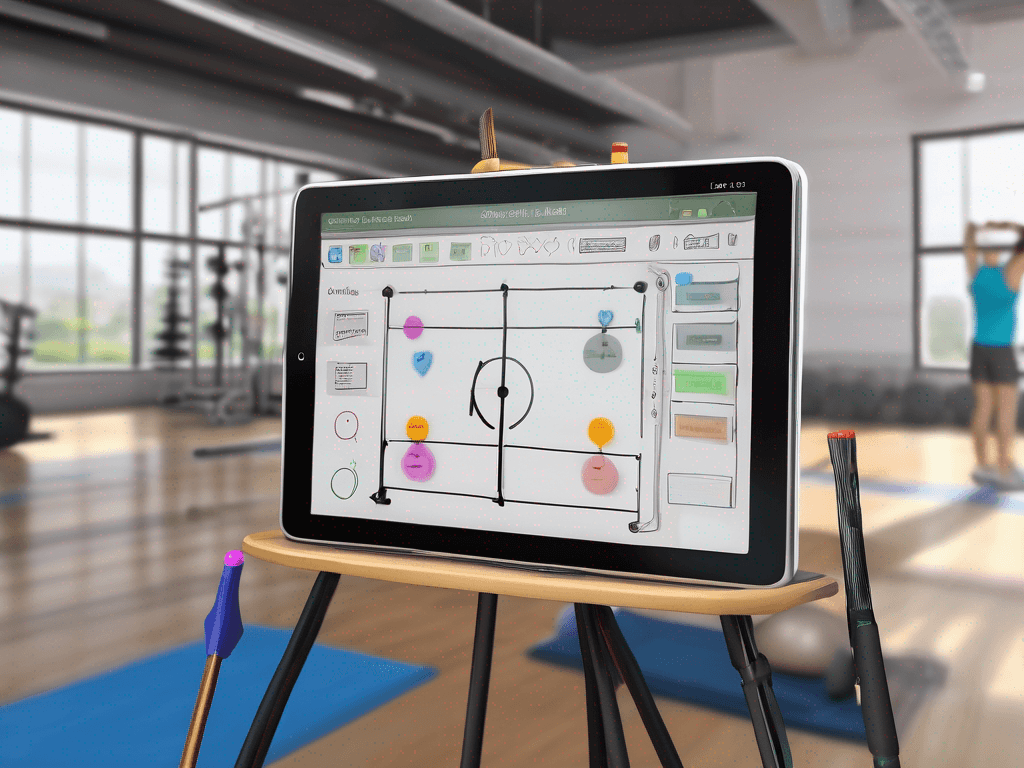
Some concepts are easier to understand on a court than in a paragraph. A play designer lets you place players and the ball, draw movement, and arrange actions into a sequence. Animation can then show how the frames connect, making timing and spacing easier to review than a static sketch alone.
The aim is not to make a diagram look elaborate. A good play should communicate the starting alignment, the first trigger, the important reads, and the intended spacing. If a detail does not help someone understand or teach the action, it may not belong on the page.
Once the individual plays are ready, organize them into playbooks by phase, situation, opponent, or any structure that matches your terminology. A PDF export gives you a portable version for printing or distributing through your normal channels. If you want to test the drawing experience before creating an account, use the free basketball play designer. The basketball playbook software guide explains the broader diagram-to-playbook process.
Make video review focused and deliberate
Raw game or practice footage is rarely the final coaching resource. The useful step is selecting the moments that support a specific conversation.
With a manual clipping workflow, you choose the start and end of each clip. That control matters: it lets you include the setup before an action and enough time afterward to see the consequence. Give the clip a recognizable name, then place related clips into a playlist. A short playlist about one coverage or one offensive read is usually easier to act on than a long collection with no stated purpose.
CourtSensei supports manual clipping, playlists, and read-only sharing links. A read-only link is useful when someone needs to watch the material without changing the source playlist. If you need a broader specialist video workflow, include each requirement explicitly in your product comparison. The basketball video analysis software overview covers the core questions in more detail.
Connect scouting and game prep to the week
Scouting is most useful when observations lead to a decision. A report may identify personnel, common actions, defensive coverages, and situational tendencies, but the next question is always: what will your team do with that information?
Use game-prep resources to turn observations into priorities. You might connect an opponent action to a counter play, attach a relevant clip to the review material, or place a drill into practice because it rehearses the anticipated situation. The connection turns an observation into preparation.
This does not require pretending that the software collected or interpreted the data. Coaches still watch, select, and write. The system helps organize the report and link it to the plays, clips, and practice resources it informs. See the basketball scouting report software guide for a focused example.
A practical weekly sequence
There is no universal coaching schedule, but the following sequence shows how connected tools can reduce repeated work:
- Define the week’s priorities from the previous game, upcoming opponent, and current teaching needs.
- Draft the timed practice plan and choose drills from the library.
- Create or revise the plays that support those priorities, then add them to the relevant playbook.
- Manually trim the clearest video examples and arrange them in a focused playlist.
- Build the scouting or game-prep resource and link the relevant plays, clips, and practice work.
- Review the finished plan against the time you actually have, then share or export only what each audience needs.
The order can change. A clip may reveal the need for a new drill, or a scouting note may lead to a playbook adjustment. The important point is that each resource can lead naturally to the next without losing context.
How to evaluate a coaching platform
Run a realistic test before making a decision. Create one practice, draw one multi-step play, export a small playbook, trim one clip, build one playlist, and start one scouting report. Then check whether you can connect those items in a way that makes sense to you.
Separate essential requirements from nice-to-have features and verify each one during your trial.
The best basketball coaching software is the one that supports your repeatable work, remains clear under time pressure, and produces resources you will actually use in the gym and film room.
FAQ
Is basketball coaching software only for head coaches?
No. Any coach who plans sessions, diagrams actions, prepares film, or scouts opponents can benefit. The right fit depends on the tasks you personally need to complete, not your job title.
How does video clipping work?
Clipping is manual. You choose the footage and clip boundaries, organize clips into playlists, and can share playlists through read-only links.
Can a practice plan include saved drills?
Yes. You can use drills from the library inside a timed practice plan, order the segments, and see how the durations fit the session.
Can plays be shared outside the app?
Plays can be organized into playbooks and exported as PDFs. That creates a portable version for printing or sharing through your preferred communication channel.
Should one product replace every tool a program uses?
Not necessarily. Consolidation is valuable only when it improves the workflow. List your must-have tasks, test the handoffs, and keep a specialist tool if it solves an important problem better.
